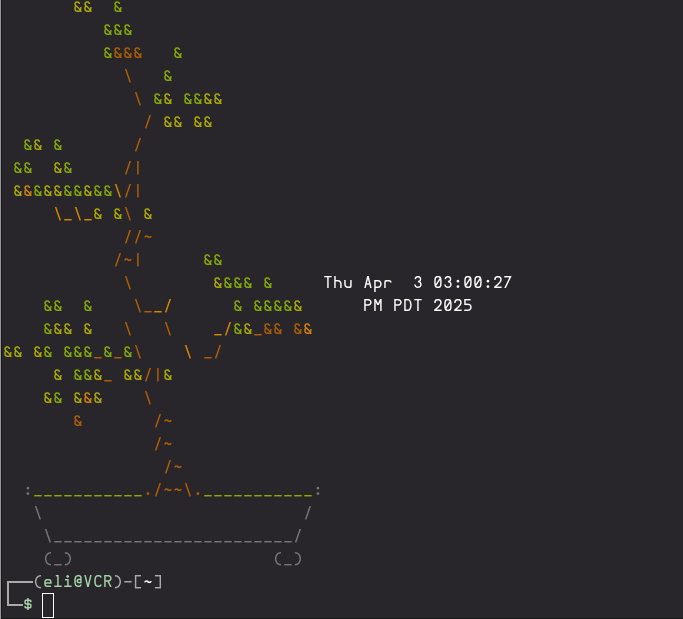
Here I want to touch on some of the configuration I like to do to my terminal environment. I use oh-my-zsh and oh-my-posh to get the most out of a cli’s quality of life.
Setting up ZSH and Oh-my-ZHS with autocomplete plugins
Installed oh-my-zsh from here https://github.com/ohmyzsh/ohmyzsh
sh -c "$(curl -fsSL https://raw.githubusercontent.com/ohmyzsh/ohmyzsh/master/tools/install.sh)"And added the following plugins.
sudo apt install zsh-autosuggestions zsh-syntax-highlighting zsh-autocompleteThen add the following plugins to your .zshrc
    plugins=(
    git
    zsh-autosuggestions
    zsh-syntax-highlighting
    fast-syntax-highlighting
    zsh-autocomplete
    )
Configuring and Customizing Oh-My-Posh
Installation and setup instructions can be found here https://ohmyposh.dev/docs/installation/linux
curl -s https://ohmyposh.dev/install.sh | bash -sI stole and modified the kali theme to remain true to my script kiddie roots.
mkdir .oh-my-zsh/prompt
cp .cache/oh-my-posh/themes/kali.omp.json .oh-my-zsh/prompt/sadako.omp.json
Here I removed the goofy skull emoji and changed the colors.
and then add this to your .zshrc
eval "$(oh-my-posh init zsh --config /home/eli/.oh-my-zsh/prompt/sadako.omp.json)"MOTD
I also installed this cute bonsai script https://gitlab.com/jallbrit/bonsai.sh
Added it to my .zshrc with:
git clone https://gitlab.com/jallbrit/bonsai.sh ~/bin/bonsai.sh
chmod +x ~/bin/bonsai.sh/bonsai.sh
ln -s ~/bin/bonsai.sh/bonsai.sh ~/.local/bin/bonsai
and added
bonsai -g 60,60 -m "$(date)"to my .zshrc