I was talking about this recently as I am want to do, and I’ve written about this before, but it’s been a minute since I’ve posted anything and figured this would be a cute one.
It’s a funny way to put this but I feel it expresses my feelings best:
I simply find the BSD variants to be more charming. More-so than GNU/Linux.
Charming is the word that works best- and I’m not sure how to explain it better than that. They feel cozier? Attempting to delineate “better” or “worse” gets into attempting to assign objectivity to emotions and that’s not what I’m seeking to do here. This is a matter of personal preference.
Here I’ll outline some preferences that will hopefully explain why.
doas vs. sudo
Let’s start with an important one. Anyone who’s configured a sudoers file knows that when you start the syntax can appear a little opaque.
I think doas wins out for 2 intertwined reasons.
- The succinctness of its configuration file documentation
- The clarity of its syntax
doas.conf’s documentation is found here, and is a total of 74 lines.
By contrast the man page for the sudoers file found here is 4428 lines.
To do fundamentally the same thing, the BSD default of doas feels to me more straightforward.
Now let’s talk syntax.
To someone versed in configuration these statements are probably obvious but assuming you aren’t, you express in one line who is allowed to use what, and where. That’s a crafty syntax.:
# lisa may run any command on any host in CUNETS (a class B network)
lisa		CUNETS = ALL

# operator may run maintenance commands and anything in /usr/oper/bin/
operator	ALL = DUMPS, KILL, SHUTDOWN, HALT, REBOOT, PRINTING,\
		sudoedit /etc/printcap, /usr/oper/bin/

# joe may su only to operator
joe		ALL = /usr/bin/su operator

# pete may change passwords for anyone but root on the hp snakes
pete		HPPA = /usr/bin/passwd [A-z]*, !/usr/bin/passwd root

# bob may run anything on the sparc and sgi machines as any user
# listed in the Runas_Alias "OP" (ie: root and operator)
bob		SPARC = (OP) ALL : SGI = (OP) ALL

# jim may run anything on machines in the biglab netgroup
jim		+biglab = ALL
https://softpanorama.org/Access_control/Sudo/sudoer_file_examples.shtml
And once you understand that, it is straightforward.
But for comparison let’s see an example of the doas.conf
#The following example permits user aja to install packages from a preferred mirror; group wheel to execute commands as any user while keeping the environment variables `PS1` and `SSH_AUTH_SOCK` and unsetting `ENV`; permits tedu to run procmap as root without a password; and additionally permits root to run unrestricted commands as itself while retaining the original PATH.

permit persist setenv { PKG_CACHE PKG_PATH } aja cmd pkg_add
permit setenv { -ENV PS1=$DOAS_PS1 SSH_AUTH_SOCK } :wheel
permit nopass tedu as root cmd /usr/sbin/procmap
permit nopass keepenv setenv { PATH } root as root
A bit more verbose, but also distinctly more human readable. Anyone familiar with network configuration recognizes this syntax- it’s essentially a firewall!
The carrying over of a well known concept like basic firewall configuration as you might find on a Juniper or Cisco switch is cool! It’s crafty! Dare I say it’s CHARMING!
pf vs. iptables
Here we have a similar trend as before.
While the pf.conf man page is twice as long as the iptables man page, we come back to the main point of syntax.
iptables has its own syntax unlike other packet filter paradigms .eg Cisco and Juniper.
A set of iptables rules may look something like this:
# DROP FRAGMENTS
-A INPUT -f -j DROP

# DROP XMAS PACKETS
-A INPUT -p tcp --tcp-flags ALL ALL -j DROP

# DROP NULL PACKETS
-A INPUT -p tcp --tcp-flags ALL NONE -j DROP

# DROP EXCESSIVE TCP RST PACKETS
-A INPUT -p tcp -m tcp --tcp-flags RST RST -m limit --limit 2/second --limit-burst 2 -j ACCEPT
https://networklessons.com/miscellaneous/iptables-example-configuration
whereas to someone with some networking experience something that is more universally understood like pf.conf might look more appealing:
# Default: block fragments
block in quick fragment

# Drop Xmas packets (all TCP flags set)
block in quick on egress proto tcp flags FUPRSFUPRS

# Drop NULL packets (no TCP flags set)
block in quick on egress proto tcp flags /FUPRSFUPRS

# Allow limited TCP RSTs, block excessive
pass in on egress proto tcp from any to any flags R/R \
    keep state (max-src-conn-rate 2/1, overload <bad_hosts> flush global)

table <bad_hosts> persist
While more verbose I feel this scans as more human readable.
rc vs. systemd
“I don’t like systemd” is probably the least controversial thing I’ve ever said. Simple as.
Easy wins for rc over systemd would be that it’s plain text, predictable, no binary logs or sprawling tentacles into every subsystem.
I’ll outline 2 main points.
1. Philosophy and Scope
systemd:- Attempts to be a unified framework for init, service management, logging, device management, network configuration, timers, and more.
- Moves away from the “do one thing well” philosophy; instead it consolidates many subsystems under one umbrella.
rc:- A minimal init system.
- Concerned only with service startup and shutdown, following classic Unix separation of concerns.
- Relies on existing, independent tools (
cron,syslog,inetd, etc.) to do other jobs.
2. Configuration and Readability
-
systemd:- Service definitions live in unit files with a specialized syntax.
- Declarative, but not always intuitive; debugging often requires
systemctl statusand reading journal logs.
-
rc:- Plain shell scripts (sh).
- Service logic is transparent and editable like any other script.
- Configuration is usually one file (
/etc/rc.conf) where services are toggled withYES/NO.
OpenBSD’s Art Store
Another distinctly charming thing is that OpenBSD commissions art for every release.
from https://www.openbsd.org/artwork.html
Every six months, around May 1st and Nov 1st, OpenBSD makes an official software release. To accompany this free software released on the internet, we make artwork and music. This artwork emblazoned CDs and posters up until version 6.0, after which we stopped producing product and only release software on the internet.
Some faves of mine are the releases for 6.6…

Artist: Natasha Allegri, Best known for Bee and Puppycat, and her work on Adventure Time.
the release for 6.8…

Siah Files “Siah Files is a cartoonist and illustrator living and working out of Brooklyn, New York. They like unintentional naps and silly drawings. They also run a cool live show in Brooklyn thats like half standup comedy, half comics readings, and half videos!”
and the release for 7.7…
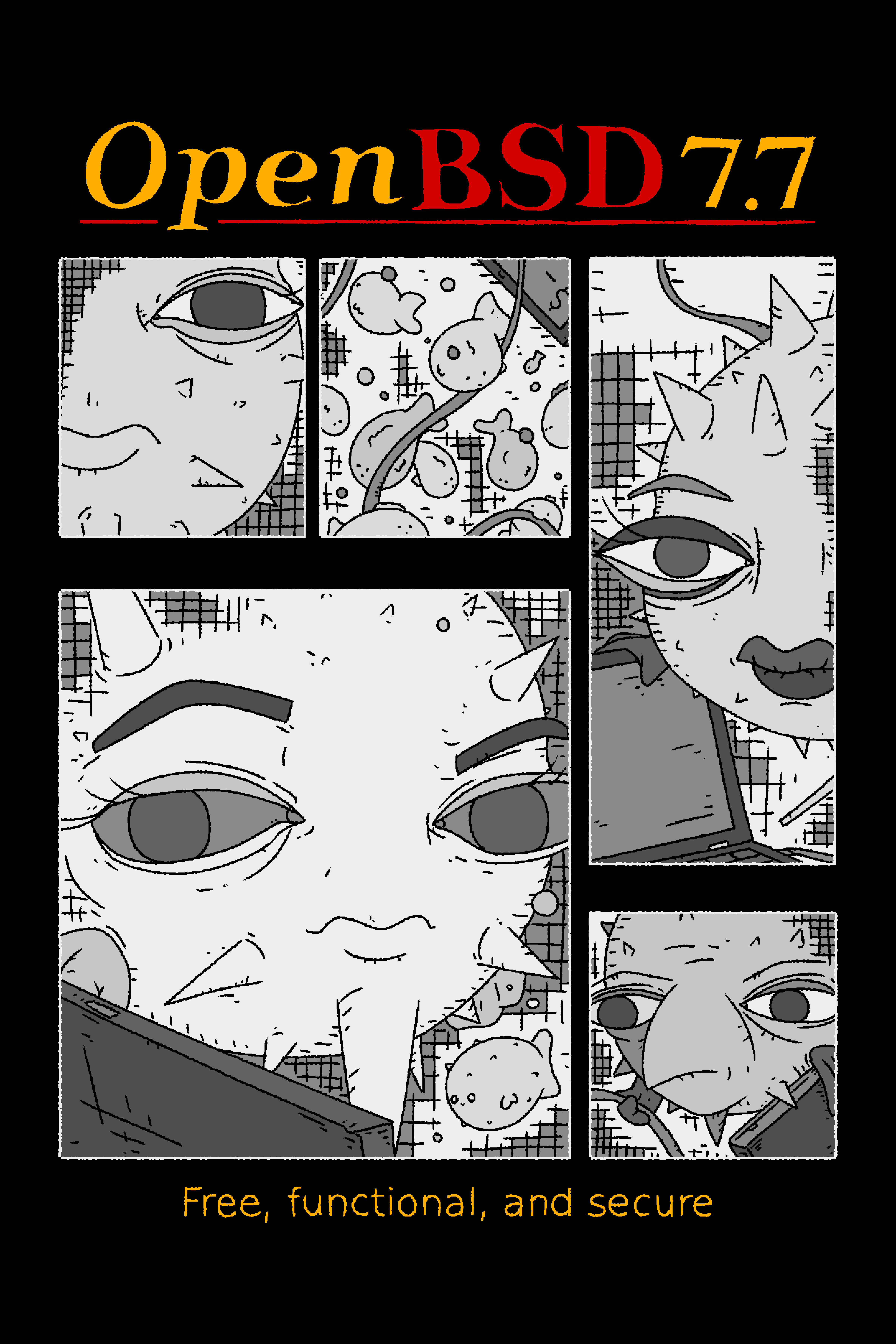
Tomáš Rodr an artist who I cannot find many concrete words on, but I’ll let their work speak for itself: instagram, triapul.cz, analognowhere.com
There’s also some cute sweaters and shirts! I own more than my fair share.
This Little Freak
 Look at this little guy. He’s just cooler than tux. I don’t think anyone would argue with me.
From Wikipedia:
The BSD Daemon, nicknamed Beastie, is the generic mascot of BSD operating systems. The BSD Daemon is named after software daemons, a class of long-running computer programs in Unix-like operating systems, which, through a play on words, takes the cartoon shape of a demon. The BSD Daemon’s nickname Beastie is a slurred phonetic (in American English) pronunciation of BSD. Beastie customarily carries a trident to symbolize a software daemon’s forking of processes. The FreeBSD web site has noted Evi Nemeth’s 1988 remarks about cultural-historical daemons in the Unix System Administration Handbook: “The ancient Greeks’ concept of a ‘personal daemon’ was similar to the modern concept of a ‘guardian angel’ … As a rule, UNIX systems seem to be infested with both daemons and demons.”
Additionally, this Logo:

It’s clearly never gone through the adaptation to flat design. Still very skeuomorphic! Like a gummy bear. You could chew on that thing.
MacOS Honorable Mention
Lastly, many of you might know, the origins of MacOS.
macOS (previously OS X and originally Mac OS X) is a proprietary Unix-like operating system, derived from OPENSTEP for Mach and FreeBSD,
There are mixed feelings about MacOS’s walled garden model- but it’s hard to argue against their claim that it Just Works. I oft prefer MacOS as my dev environment because I’m not spending forever fiddling with my RICE (ridiculously intricately configured environment) and UNIX configs to do my actual projects. (which may incidentally be fiddling with rice and config files).
GNU/Linux is ubiquitous and there is serious value in that. It is the underlying fabric of most IoT and mobile devices - It does its job well.
But given the choice I’ll always tend towards a BSD.
This entire article is personal preference, and far from deeply technical, but yeah! BSD is just more charming than Linux in my opinion.